Hi @daryl_lee
It sounds like you’re using a custom font in your prototype and they are appearing as serif fonts when your stakeholders are viewing the prototype. Is that right? Custom fonts will appear when viewing a prototype on a computer that has the fonts installed locally but those fonts won’t be uploaded when the prototype is published.
To make a font accessible in your prototype through other devices, you’ll want to use Axure RP’s “web fonts” feature. Web fonts link your prototype to font files that are hosted on the web, allowing the prototype to access and display those fonts at any time.
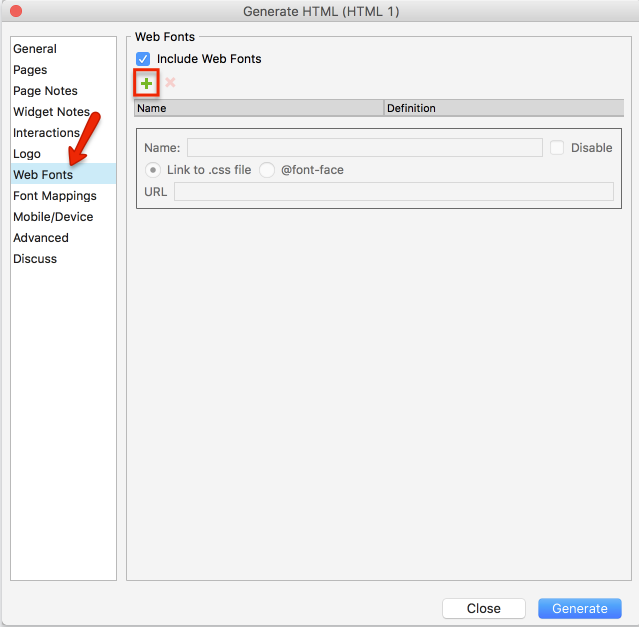
You can create a new web font entry by going to “Publish > Generate HTML Files” in Axure RP’s menu, switching to the “Web Fonts” section of the “Generate HTML” dialog that appears, and then clicking the green “+” icon there:
Note: The font files you’re linking to will need to be hosted in a publicly accessible location on the web (Google Fonts, file-hosting services, or your own servers). To get started with web fonts, please check out these resources:
https://www.axure.com/blog/implementing-web-fonts-with-google-fonts-in-axure-rp/