Axure RP 11 not working on macOS 26. Exception has been thrown by the target of an Objective-C method call when opening a file. Fix it please!
Hi @Jacky,
We tested running RP 11 on macOS 26 (Tahoe), and we were not able to reproduce the issue. Are you running into the error with all files or is it specific to one? Does the error occur when opening a new, blank file?
To further troubleshoot, please email support@axure.com with the specific version of the macOS you have installed, e.g. 26.1, the version of RP 11, e.g. 4134, and any additional details you’re able to provide. Thanks!
On my Mac, none of the macOS 26 versions work, from 26.0 to 26.2 beta 3. My Axure version is RP 11 11.0.0.4135. My laptop is a 2019 16-inch 2.3 GHz 8-Core Intel Core i9 MacBook Pro.
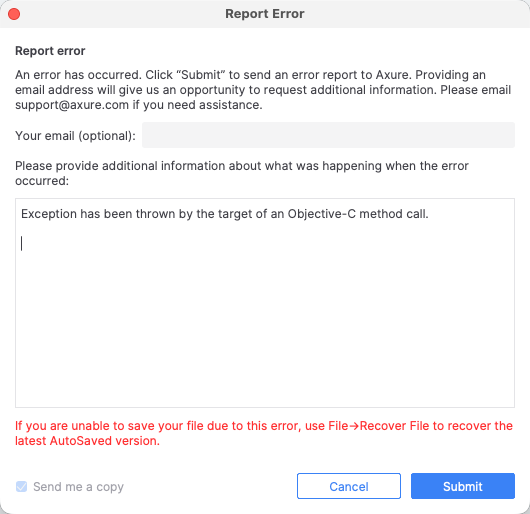
When I try to open or create a file, it gets stuck on the following screen, and after closing it, the screen shown in the second image appears.

Hi @Jacky,
Thanks for the info and screenshots! Since your Mac has an Intel core, please first confirm you’re installing the Intel chip version of RP 11: https://www.axure.com/downloadthanks.
If you’re still getting the errors, navigate to ~/Library/Application Support/Axure/Axure-11-0/logs (“Go > Go to Folder” on your Mac), zip up the entire logs folder, and send that over to support@axure.com. We can further troubleshoot from there. Thanks!
@Jane_Axure I’ve confirmed that I installed the Intel-based Axure. I’ve already sent the log files to support@axure.com; please check and fix the issue. Thank you!