My team used to use the password protect feature all of the time for usability testing when sharing prototypes with the public. However, recently we have noticed that feature is no longer there in Axure Cloud. The feature I’m referring to seems to be in the archived documentation. Password protecting prototypes would be extremely beneficial to my team if it was brought back to the current Axure Cloud.
Hi @adon833,
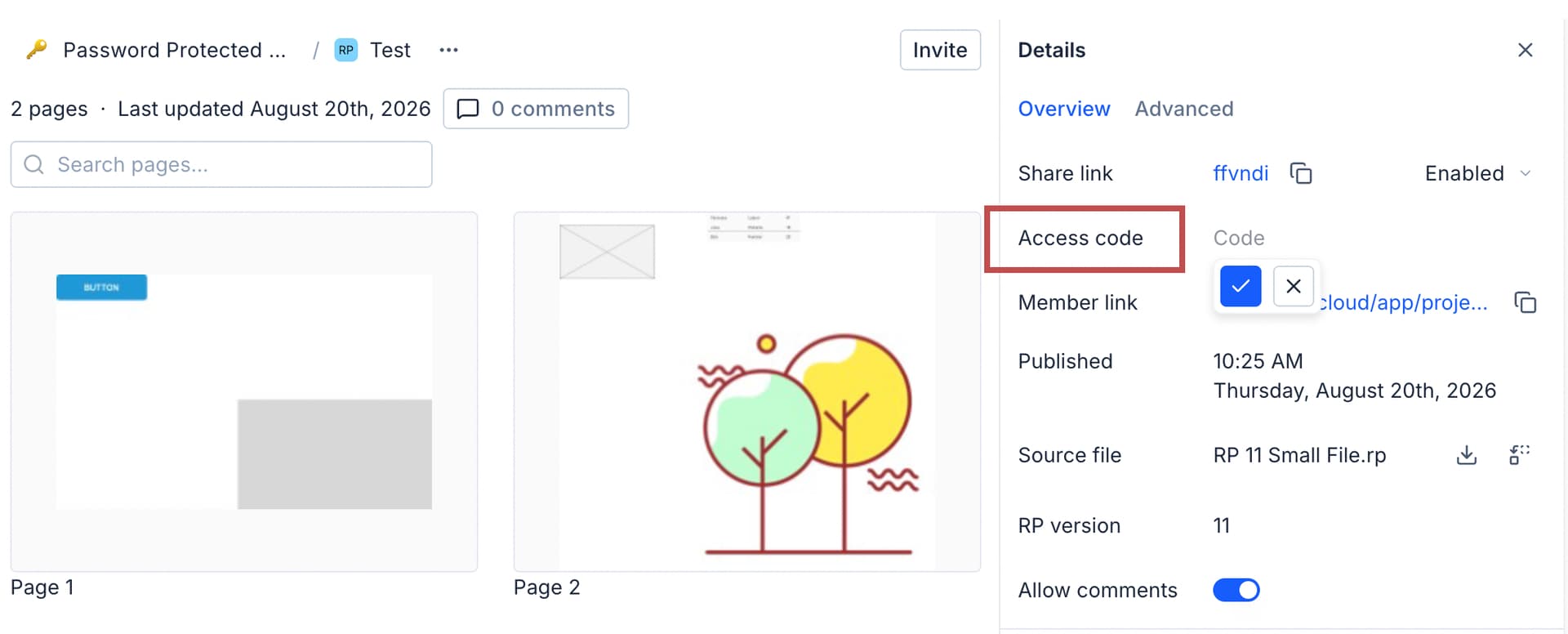
The prototype password feature is still available but was renamed to Access Codes. Access codes can be set on an Axure Cloud project through the project’s Overview pane. Here, you can set the access code for the project and this will change the project’s share link with a hashed version of the access code embedded in the link.
Anyone you share the embedded link with will be able to bypass the access code page and view the prototype without manually entering the access code.
If you wanted the project link without the access code embedded, you can copy just the 6-digit project URL to share with anyone who should not be able to bypass the access code.
So the embedded access code link would look something like this:
https://abc123.axshare.com/?code=c4a960b89f36684e8cb3861c95198e96
And to share it without the access code embedded, just copy the 6-digit project URL:
This will require anyone without the embedded access code link to enter in the access code you set for the project before they’re able to view the project.
Hopefully this helps! Lmk if you have any questions.
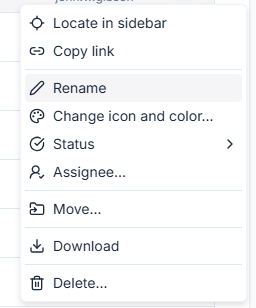
Thank you. What are we considering the “Overview Pane” because when I select the 3 dots on the right of one of the projects I see this menu. I don’t get a pane.
Hi @adon833,
The Overview pane can be located by opening up the project and then looking to the right panes. Here you can find the access code setting (highlighted red):
Well, I have to say that I completely missed this little icon in the upper right of that page. I now see the Access Code spot. Thank you for bearing with me. I’m hoping that the Axure team can make that a little bit easier for the user to understand because it’s buried and difficult to discover.