When migrating Confluence from Datacenter to Cloud, can we simply install the app and continue using it without any additional work? If anyone has experience with this, please share your insights.
Hi @rex
Thanks for reaching out on our Forums! The Axure Prototype links in Confluence are stored on the page itself, so you should be able to install the Axure for Confluence plugin on your Confluence Cloud instance and complete the data migration according to Confluence’s steps. The links should be migrated along with the rest of your data, but please let me know if you experience any issues!
Hi Dylan, @Dylan_Axure
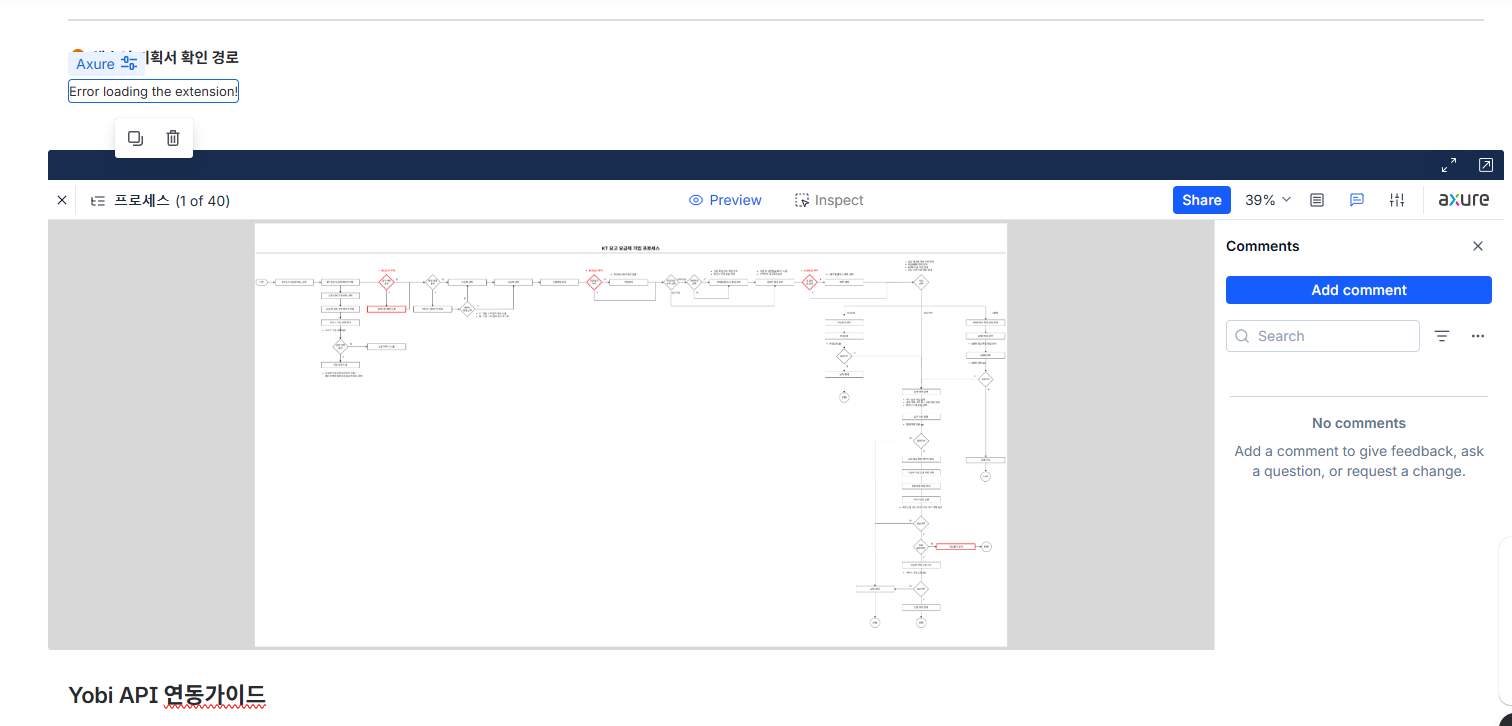
As shown in the attached image, the migration test results are not displaying properly. Please review the settings to see if any additional configuration is required.
If you need any further information for your review, please let me know.

Please note that macros migrated from the previous system cannot be edited. Instead, we can add new macros and insert them after verifying the existing URLs, and they will function properly. Thank you for your understanding.
Best regards, Rex
@Dylan_Axure
Since we have entered the test migration phase, we need a response to the inquiry we previously submitted. We would appreciate your assistance.
Hi @rex,
We are currently setting up an environment to test the migration from Confluence Data Center to Cloud. Could you let us know whether you used the “Confluence Cloud Migration Assistant” to perform the migration? And to confirm, it sounds like your projects still aren’t loading after installing the Cloud version of the Confluence Axure plugin, does that sound correct? Could you also confirm refreshing the affected pages without cache still shows the issue? Any additional details you’re able to provide on how you performed the migration will be helpful while we try and reproduce the issue on our end. Thank you!
@Jane_Axure
Thank you for your confirmation.
-
We performed the migration using the “Confluence Cloud Migration Assistant.”
-
The Cloud version of the Confluence Axure plugin is not visible, even though we installed it beforehand. (We installed it on the cloud before starting the migration.)
-
The issue persists even after refreshing the page without clearing the cache and reviewing various pages.
-
We are attaching the raw content files of the migrated pages. Please check if the macro formatting has been corrupted during the migration. (This is suspected because the macros appear to work correctly when newly configured in the Cloud.) We are sharing both the full files and the relevant sections.

<h1 local-id="156b3a3c4df8"><strong><span style="color: rgb(23,43,77);">■ </span>2. Axure URL</strong></h1>
<hr local-id="e276525e96bf" />
<p local-id="860595d0a765"><a href="https://e13w8r.axshare.com/?id=i2glfy&sc=0&g=1">https://e13w8r.axshare.com/?id=i2glfy&sc=0&g=1</a></p>
<p local-id="8b06a093cffb"><ac:structured-macro ac:name="axure" ac:schema-version="1" ac:local-id="4a458fd2-6edf-4f9e-8279-869c57b59478" ac:macro-id="d2fa217f-d305-422c-ba0b-0b86fbbe9b11"><ac:parameter ac:name="Height">800</ac:parameter><ac:parameter ac:name="Url">https://e13w8r.axshare.com/?id=i2glfy</ac:parameter></ac:structured-macro></p>
<h1 local-id="d4c4701e2f8f"><strong><span style="color: rgb(23,43,77);">■ </span>3. 데이터생성규칙/기능 리스트</strong></h1>
<hr local-id="ae7a9b1f4a6e" />
axure-confluence-page-contents.txt (106.9 KB)
@Jane_Axure
We are sharing some additional information we have obtained. We believe reviewing this information will be helpful.

<!-- Content information that was migrated but is not displaying properly -->
<p local-id="8b06a093cffb">
<ac:structured-macro ac:name="axure" ac:schema-version="1"
ac:local-id="4a458fd2-6edf-4f9e-8279-869c57b59478"
ac:macro-id="d2fa217f-d305-422c-ba0b-0b86fbbe9b11">
<ac:parameter ac:name="Height">800</ac:parameter>
<ac:parameter ac:name="Url">https://e13w8r.axshare.com/?id=i2glfy</ac:parameter>
</ac:structured-macro>
</p>
<!-- Content information that is displayed correctly after being recreated using a macro with the same link -->
<ac:structured-macro ac:name="Axure-for-Confluence" ac:schema-version="1" data-layout="default"
ac:local-id="1183b42d-0194-40c4-b6db-2cb4739ba5f0"
ac:macro-id="03cbcf42-8beb-47f6-8eb5-0bbf543b9dc6">
<ac:parameter ac:name="link">https://e13w8r.axshare.com/?id=i2glfy&sc=0&g=1</ac:parameter>
<ac:parameter ac:name="tag">4062083375002396657834397360577594946273469541757029395723604572</ac:parameter>
</ac:structured-macro>
Hi @rex,
Thanks for the additional info. We’re still in the process of getting our test environment set up, so this may take some time. We apologize for the wait and appreciate your patience.
In the event our test environment yields the same results where the migration breaks the plugin, the only solution we can suggest for the time being would be to manually add back the Axure project links using the Cloud version of the plugin. You could also use an API to extract all the Axure links to make this process a bit easier. We realize this isn’t ideal, but we do not want to keep you waiting in case we are able to reproduce the issue on our end and don’t have an immediate fix.
As mentioned, we are still in the process of testing the migration, please let us know if you have any questions in the meantime.
@Jane_Axure
For regular users, verifying existing URLs is difficult and cumbersome, so a bulk update seems necessary. We would appreciate it if you could provide the relevant script.
For your information, our migration schedule is set for April 24. If the app is updated before then, please let us know. 
Hi @rex,
Thanks for your patience. I was able to test the DC to Cloud migration today, and confirmed the Axure links do not migrate successfully over to Cloud. I’ve filed a ticket with our appropriate teams to see if we can update the plugin so the migration works properly, but we cannot provide a timeline of when the plugin will be updated.
In regards to a script - I was I was able to run a Python script to update all the DC links to Cloud links. I do want to mention this with the caveat though, that the script was AI-generated but worked in our initial testing to convert the DC plugin links to Cloud. If your team was interested in running this script, please write in to support@axure.com and we can provide that for you. If you aren’t comfortable with running the AI-generated script, you’ll want to manually update all the links using the Cloud version of the plugin as previously mentioned.
@Jane_Axure
Thank you for your reply. One more question: if we run this script in the Datacenter, does it display correctly both in the Datacenter and in the migrated Cloud—in other words, does it display normally on both platforms? Please confirm this, and we’ll request the script.
Hi @rex,
The script is not backwards compatible, so it will only work once you have migrated your Confluence Data Center instance over to Cloud. With the script, I was able to get the broken DC plugin links to render properly with the Cloud version of the plugin.
@Jane_Axure
Are you saying that once we’ve migrated to the cloud, we can just run it there? Please provide the script.
Hi @rex,
Yes, that’s correct. For the script, please write in to support@axure.com and we can provide it for you there.