I’ve been searching the web and these forums for help with form validation/password and I’ve found a few examples, not many, but I can’t get any of them to work on my particular prototype.
I need to check if the password field contains any uppercase and lowercase letters.
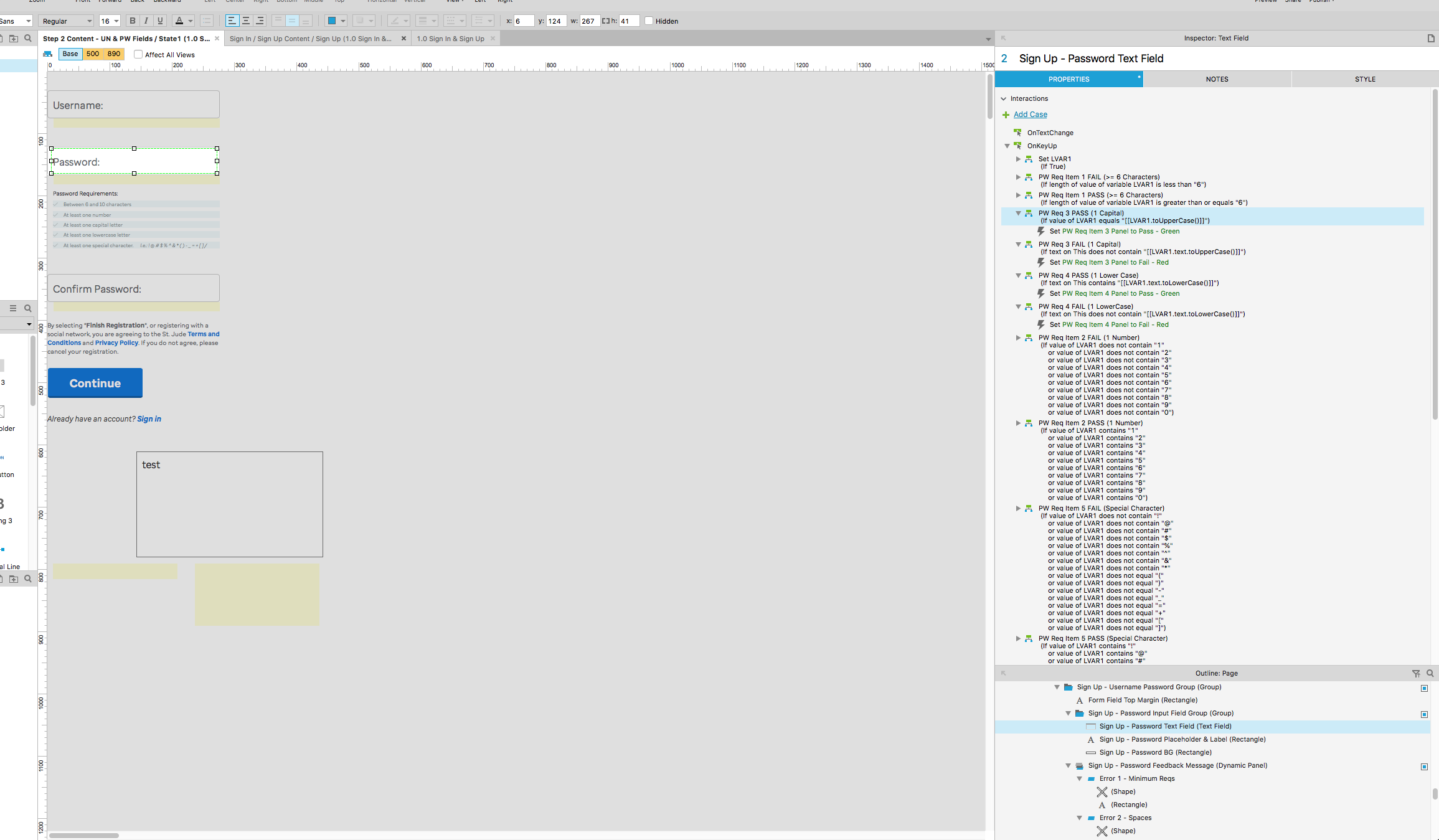
Here’s a screenshot of the logic i have set up.
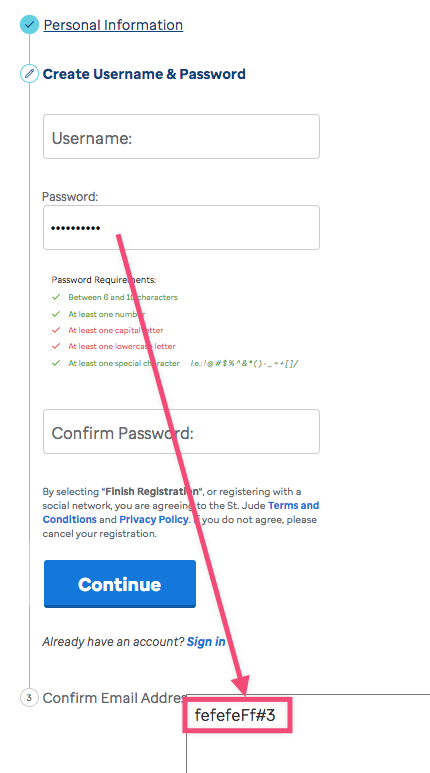
In the password requirements section, each item is a dynamic panel and has 3 states. Default, Pass and Fail.
My intention is: if a capital letter is found, set to green. If not found, set to red. I’m using the onKeyUp event instead of lostFocus for better UX/more responsive feedback.
One thing that’s odd is that on a few configurations I’ve tried if I start the field text with a capital letter, it will trigger the capital letter password requirement event to be green. But only if the first letter is capital. If it has a capital anywhere in there, it doesn’t work.
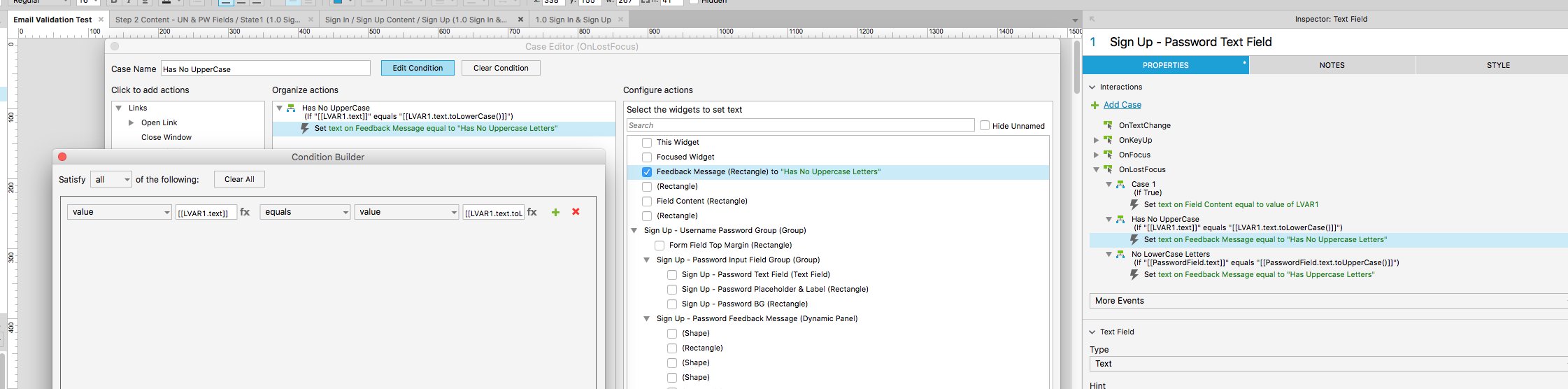
In the screenshot example of the logic, you’ll see I’m trying a few different approaches I’ve found online. None of them work though.
There’s some comparisons you can do to determine if a string has upper or lowercase letters.
For example if PasswordField.text equals PasswordField.text.toLowerCase() then you know it has no uppercase letters because the string did not change even after you force all letters to be lowercase; they all already were.
If PasswordField.text equals PasswordField.text.toUpperCase() then you know it has no lower case letters.
I’ve attached an example file of what DavidSparks was going for, where the DP changes to its “Pass” (green) state when the text field contains an uppercase character, and changes to its “Fail” (red) state if otherwise.