Repeater filter interaction executes in trace console but fails to re-render rows in UI

Hi everyone,
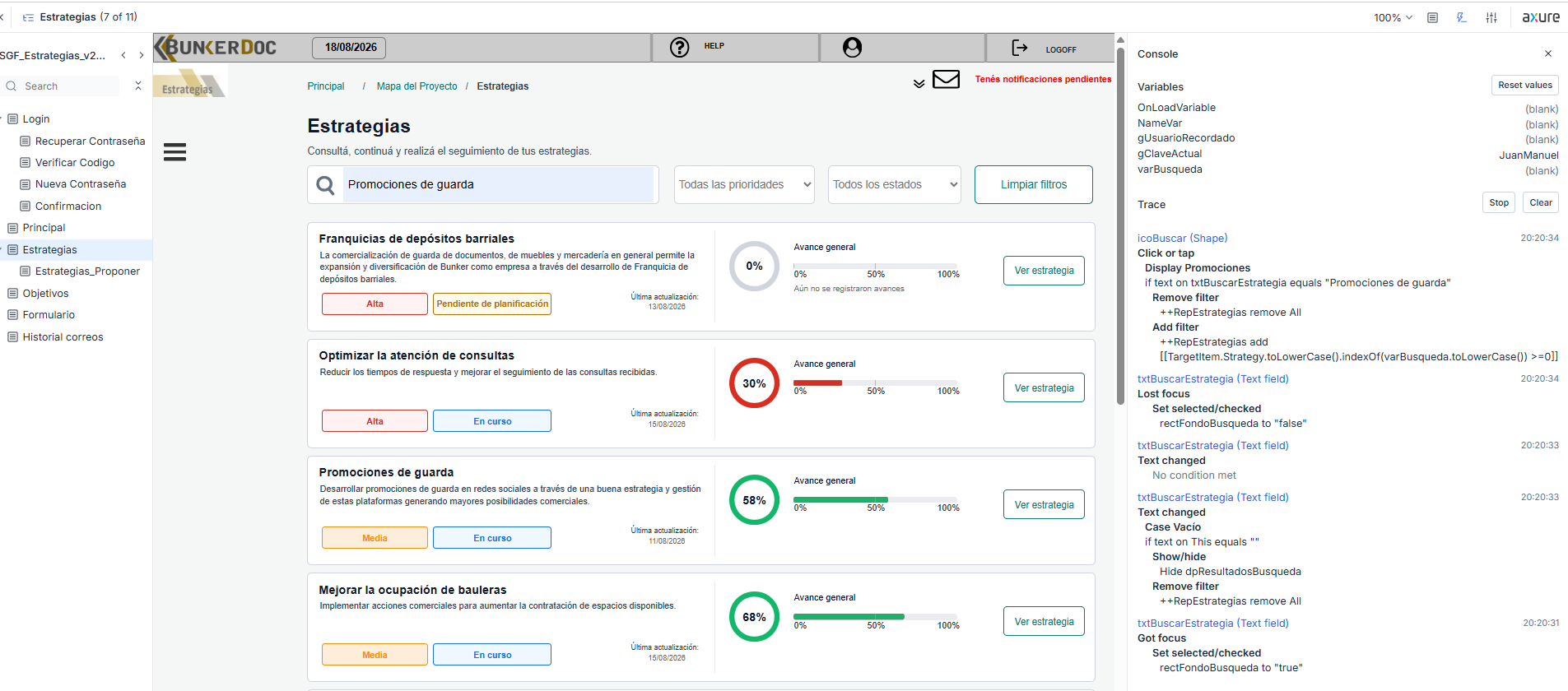
I’m working in Axure RP 11 and running into an issue where adding a filter to a repeater logs successfully in the trace console, but the repeater UI does not update or hide rows on screen.

Setup & Context:
RP Version: Axure RP 11

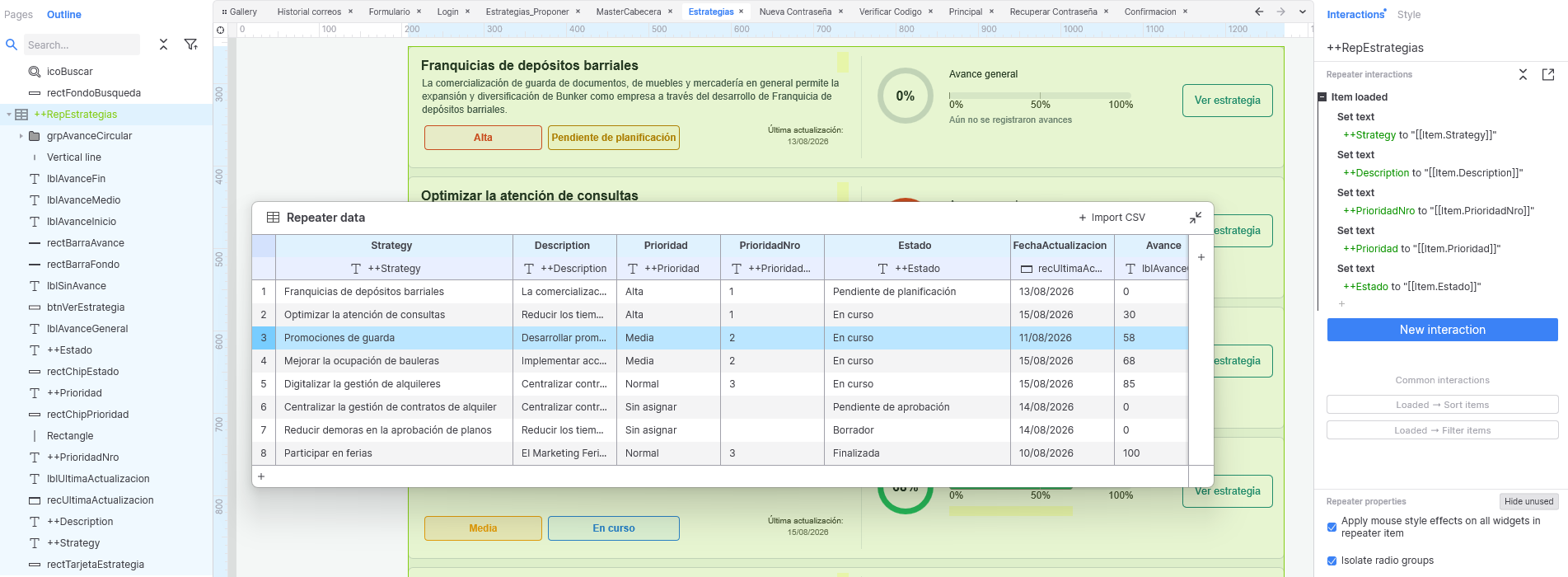
Repeater dataset columns: Strategy, Description, Prioridad, PrioridadNro, Estado, etc.

Item loaded event: Binds column data to text widgets properly on load using Set text ++Strategy to “[[Item.Strategy]]”, Set text ++Description to “[[Item.Description]]”, etc.

Filter trigger: Clicking a search icon (icoBuscar) evaluates input text from txtBuscarEstrategia.

The Issue:
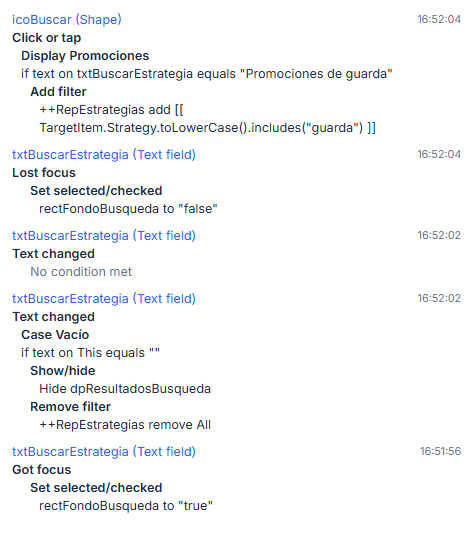
When triggering the search, the trace console confirms that the filter interaction executes without errors:
++RepEstrategias add [[ TargetItem.Strategy.toLowerCase().includes(“guarda”) ]] (or using Item.Strategy).

However, the UI on the canvas stays completely static—no rows are hidden, and the cards remain visible as if no filter action occurred.

What I have already verified:

Dataset mapping: Verified that column headers in the Repeater Data grid match variable names exactly (Strategy).

Targeting: Confirmed the filter action is targeting the correct ++RepEstrategias repeater on the current page.

Syntax variations: Tested standard rule builder dropdowns as well as custom expressions using Item.Strategy, TargetItem.Strategy, .includes(), and .indexOf().

Visibility & Redraw: Confirmed the repeater is not covered by static components. Applying a Hide action on the repeater successfully hides the widget, confirming it is properly targeted, but Add filter simply refuses to redraw/filter the items.

Has anyone encountered this issue in Axure RP 11 where repeater filters register in the console trace but fail to trigger a visual DOM refresh? Any workarounds or insights for RP 11 repeater logic would be greatly appreciated!

Thanks!
Hi @slourbet!

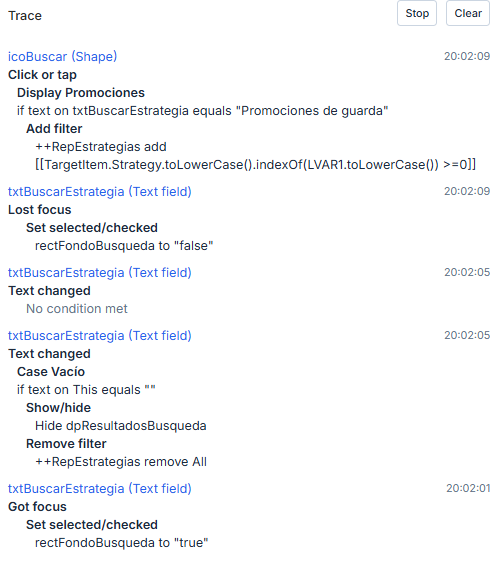
I’m guessing the console trace spits out the interaction because the condition on the button was met, but the interaction was not actually carried out.

Taking pointers from this post, it looks like your filter expression needs a few changes.

So instead of:

[[TargetItem.Strategy.toLowerCase().includes("guardia")]]

You’ll want something like this instead:

[[TargetItem.Strategy.toLowerCase().indexOf("guardia".toLowerCase()) >=0]]

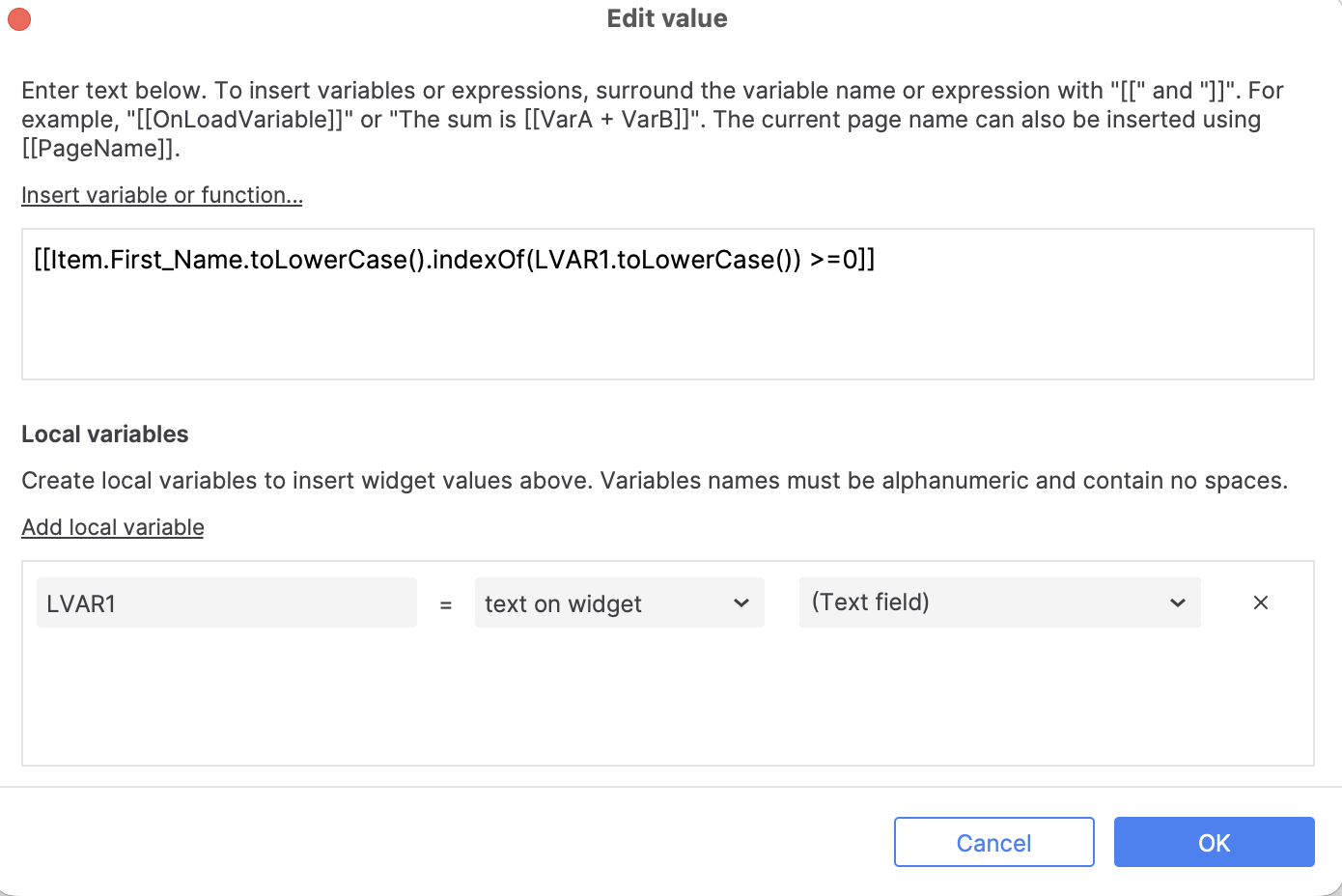
If you wanted the filter to work based on a text field input, you can swap out “guardia” for LVAR1 where LVAR1 should reference the text on the text field widget, e.g.:

[[TargetItem.Strategy.toLowerCase().indexOf(LVAR1.toLowerCase()) >=0]]

Lastly, feel free to remove the repeater’s ItemLoaded Set Text events since it looks like you already connected the widgets to each repeater column.

I’ve attached an example file to demonstrate the above. Lmk if I misunderstood or you have any questions.

RepeaterFilter.rp (56.4 KB)

Hi Jane,

Thanks for the suggestions! Unfortunately, it’s still not working as expected.

Here’s what I tried step-by-step:

  • Removed the Set Text events from the repeater’s ItemLoaded interaction.
  • Updated the filter expression using the local variable LVAR1 (indexOf instead of includes).
    -Since that didn’t resolve it, I set up a Global Variable assigned with the search bar text and filtered using that variable instead.

Sadly, none of these adjustments worked. I’m honestly out of ideas at this point, especially since search bars in my other projects with similar setups are working perfectly.

Let me know if you have any other thoughts on what might be causing this!


Hi @slourbet,

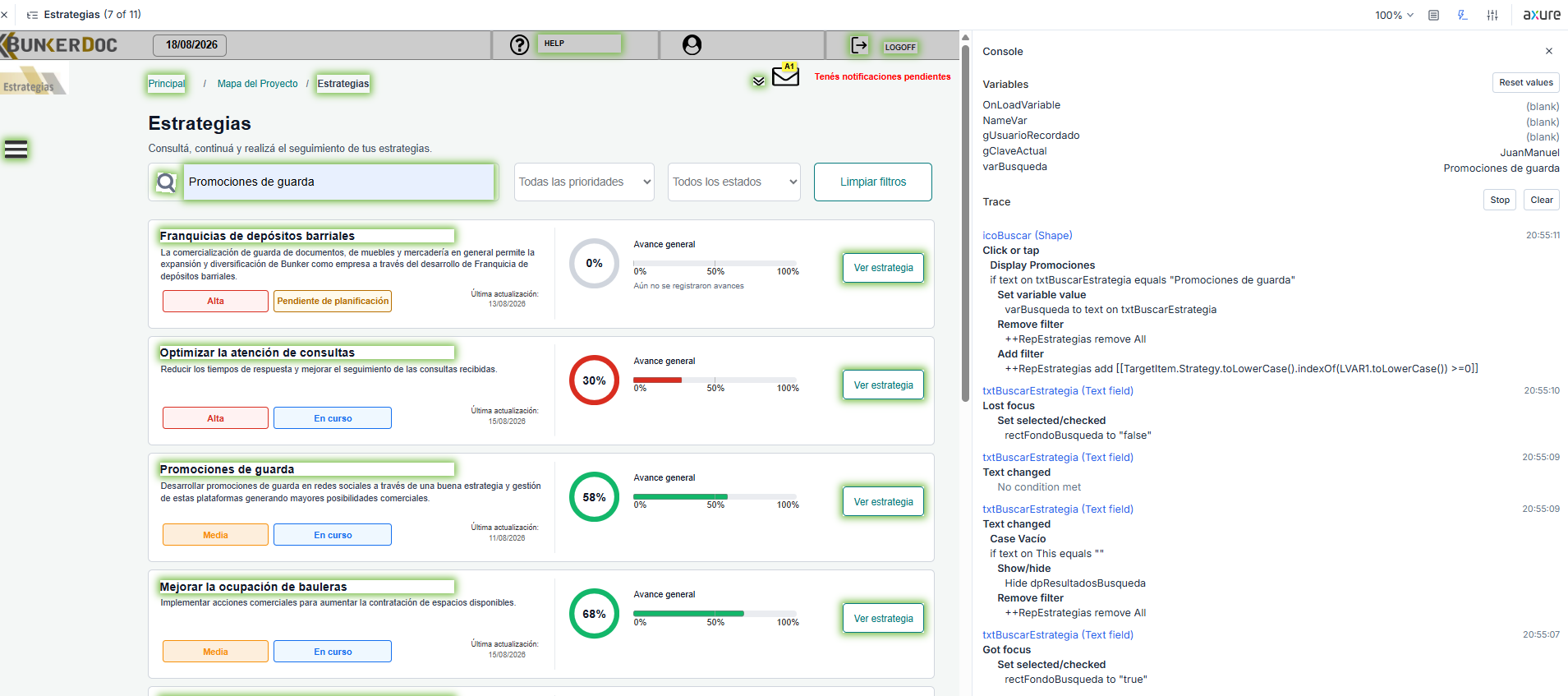
Based on your last screenshot, it looks like the varBusqueda global variable has a blank value, so the repeater wouldn’t be able to filter from that. Can you try assigning a value to the varBusqueda global variable and then try filtering the repeater again?

I’m also not sure why the local variable setup isn’t working on your end. Could you confirm the LVAR1 local variable is targeting the text field widget’s text? Attached a screenshot below.

If these don’t help, then please write in to support@axure.com with your .rp file attached and I’ll be happy to take a closer look. Thanks!

Hi Jane,

You’re completely right! I noticed that right after I sent you the screenshot.

I went ahead and updated it so that Set variable value runs first (before removing and adding the filter), but unfortunately, the issue still persists and the repeater continues without filtering.
I’ll send you the .rp file directly to your email so you can take a look at the actual project setup.

Thank you so much for all your help with this!