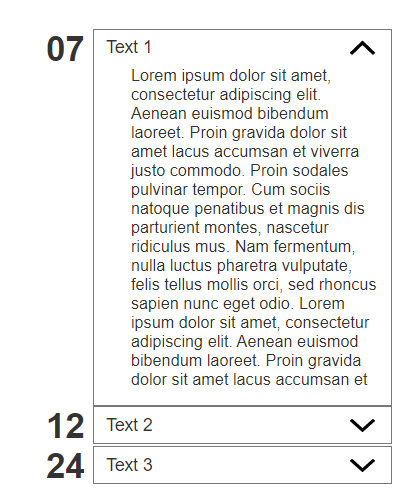
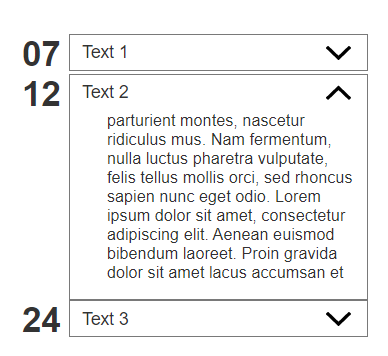
I’m currently building a timeline, where you have many elements in a collapsed state (imagine something like the Twitter timeline).
The elements of the timeline are built with the repeater widget. The repeater widget itself contains of a dynamic panel with two states, which represents the collapsed, and the expanded state. So far so good.
Now I want to change the height of an element within the expanded state element (a rectangle) based on its content, which is also loaded from a the repeater. The content element is a simple text-element, which loads a varying amount of text data from the repeater.
What I tried so far is to set the value of a new global variable “itemFrameHeight” to [[content.height]]. And onPanelChange (which is triggered by clicking a button) I set the size of the rectangle to [[itemFrameHeight]].
But somehow that doesn’t work. Does anyone have an idea, how I could set the hight of an element based on the hight of another element, which comes from a repeater?
Hi @PierreJ, thank you very much.
But I’m not sure if your approach would work, since the element should grow in terms of height, not width. So I thought I could use the height of the text element after it has been loaded from the repeater and add to the global variable.
I have added a short recording of what currently happens.
My aim is, that the border-box (grey) would grow depending on the text (blue).
Did you try my mockup? Because it does grow on height.
The event is to resize the rectangle:
Width => don’t change it
Height => change it with the number of characters of the content
Here a second version that has more the look and feel of your mockup: Adapt_height_V2.rp (58.6 KB)
PS:
Sadly Axure doesn’t seem to have “Fit to content” settings, so the text will overflow of the box, without changing its height. You could maybe find some javascript workaround to deal with it, but the trick with lenght works too.
Hi @PierreJ,
you are right, I hadn’t checked your mockup before writing the reply. My sincere apologies.
Thanks a lot for your second mockup. Based on that, I was able to recreate the behaviour in my prototype. It required a lot of restructuring, but in the end, it worked.