Hi,
When I’m setting a text I get as a result from various variables a number with a lot of digits, for example 0,030332. Can I reduce the digits after the decimal point to 1 and delete the rest?
Thanks,
max
Hi,
When I’m setting a text I get as a result from various variables a number with a lot of digits, for example 0,030332. Can I reduce the digits after the decimal point to 1 and delete the rest?
Thanks,
max
Hi Maxosh,
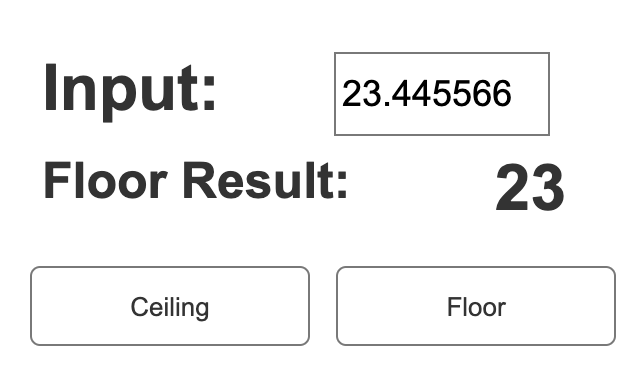
you can use math.floor to remove all decimal point ( downgrade to integer)
fx example for floor
[[math.floor(this.text)]]
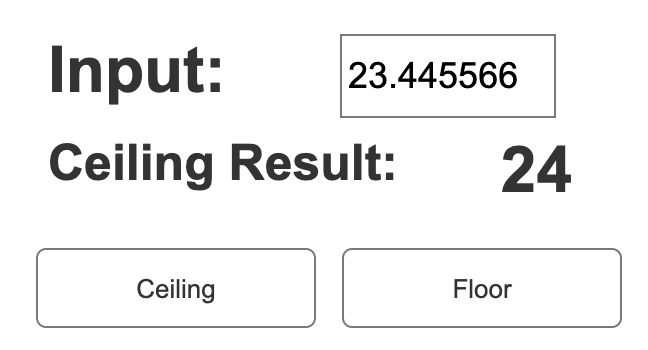
another case is math.ceil to upgrade to integer.
fx example for ceil
[[math.ceil(this.text)]]
Hi Teano,
thanks for your answer! But I needed exactly 1 decimal. I found out that you can define the numbers of decimal with this, what is great 
[[ XXX.toFixed(1) ]]
Best,
Max
Hi Teano,
now I have a question With which action do you use the fx [[math.floor(this.text)]] ? Set Text? Then “floor” is a variable value? And “this.text” is the textfield (number)?
Thanks,
max
You would put it in the text field of the Set Text action. Make sure you wrap it in [[ ]] so that Axure will evaluate it instead of printing it literally.
Math.floor() is a function which returns the nearest integer, rounding down. Just like .toFixed() is a function (or you could say a method of the widget text object) that takes a number as a parameter and tries to parse the text as a number to the specified amount of decimal places. So you pass your widget text to it, and if it can be interpreted as a number, you’ll get the rounded down integer. If it’s not a number it will say NaN instead.
In any Action, this refers to the widget on which the action resides. So this.text is the text on the widget. this.x is the X position of the widget. this.name is the internal name you give the widget, etc.