Currently, most electronic signature solutions online rely on directly injecting JavaScript scripts and calling Canvas elements. While this approach is powerful and flexible, it poses significant challenges for designers and product managers without programming backgrounds. Adjusting styles, interactions, or extending functionalities becomes nearly impossible, turning what should be a flexible and user-friendly signature component into a technical barrier. This severely limits creative design and product customization.
A signature is the ultimate form of commitment, the boundary between conclusion and beginning, and the ironclad proof of order and responsibility.
Every signature carries immense weight, binding a promise with unyielding force.
Preview:
Preview Link: https://usrsky.axshare.com/#id=w2dd4f&g=1
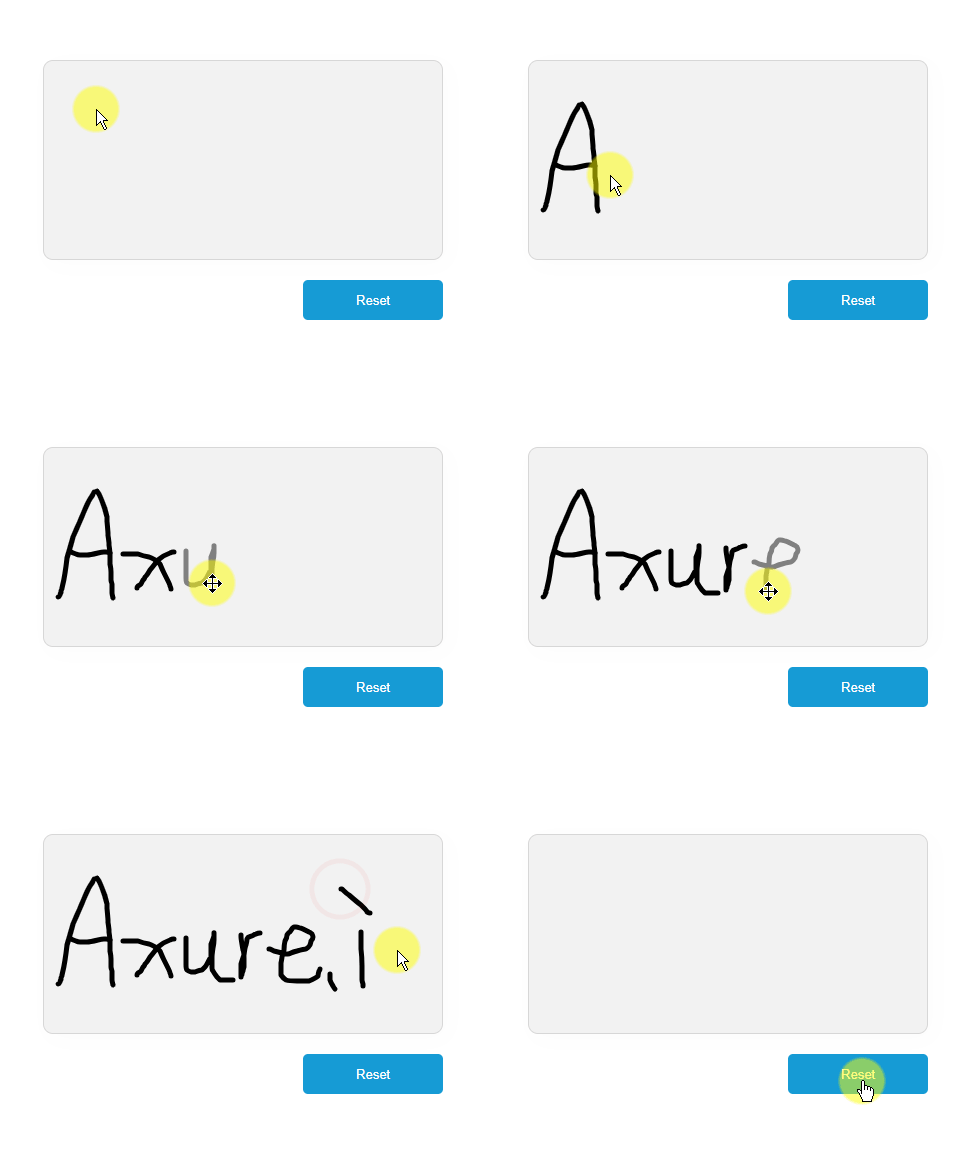
As observed, the handwriting experience is exceptionally smooth, with no lag or delay, authentically replicating the feel of writing on paper. The lines transition naturally and softly, without any harsh or sharp edges, resulting in a comfortable and elegant visual effect.
Principle:
If dynamic image generation is required without relying on JS and Canvas, SVG (Scalable Vector Graphics) is an ideal solution. Among SVG’s basic shapes, the path element is the most powerful, allowing you to create any shape (lines, curves, arcs, etc.) with a single line of code.
Preparation:
We need to prepare a dynamic panel. Inside the panel, place an image and two text fields (sign and drawing). Outside the panel, add a “Reset” button.
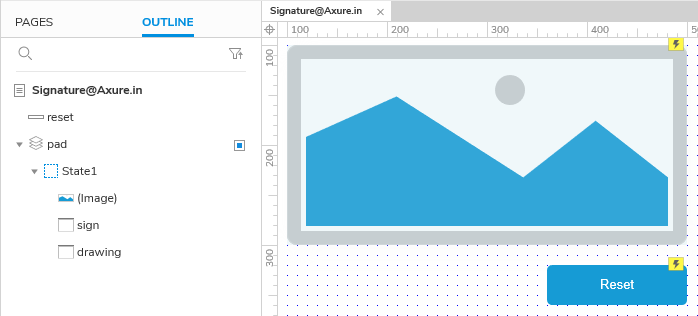
The structure is as follows:
- Dynamic Panel: Adaptive content. Setting the background color and border style defines the signature pad’s background and border.
- Image: X:0, Y:0, with customizable width and height.
- Text Field (sign): X:0, Y:0 W:1 H:1, hidden.
- Text Field (drawing): X:0, Y:0 W:1 H:1, hidden.
- Reset Button.
Interactions:
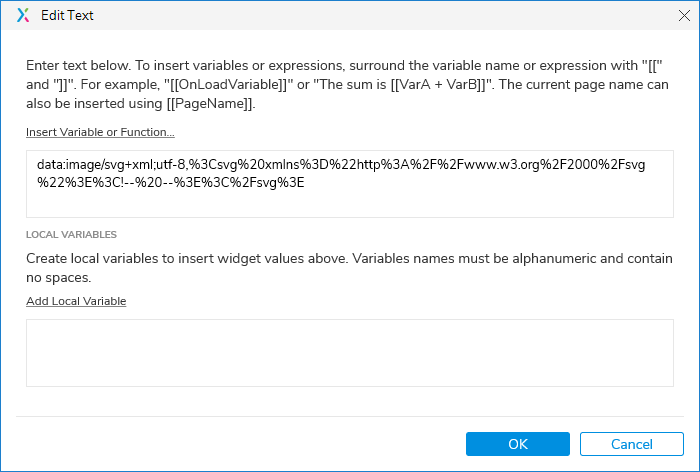
Interactions for the text field “sign”:
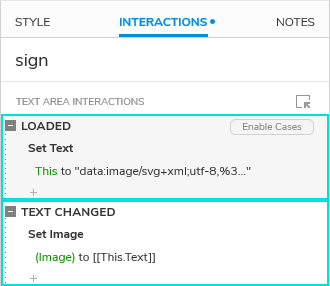
On Load: [Set Text] content to:
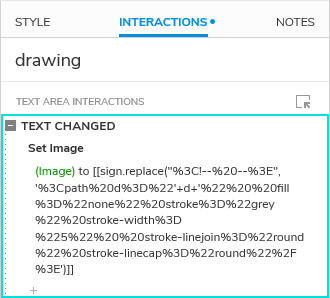
Interactions for the text field “drawing”:
Interactions for the dynamic panel:
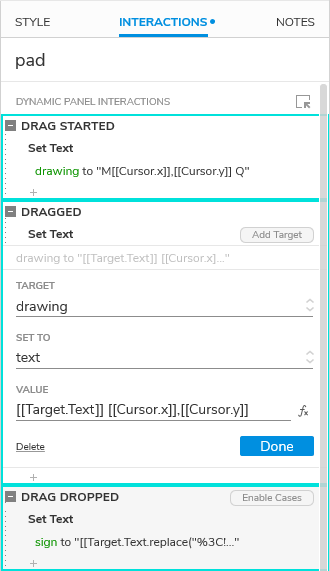
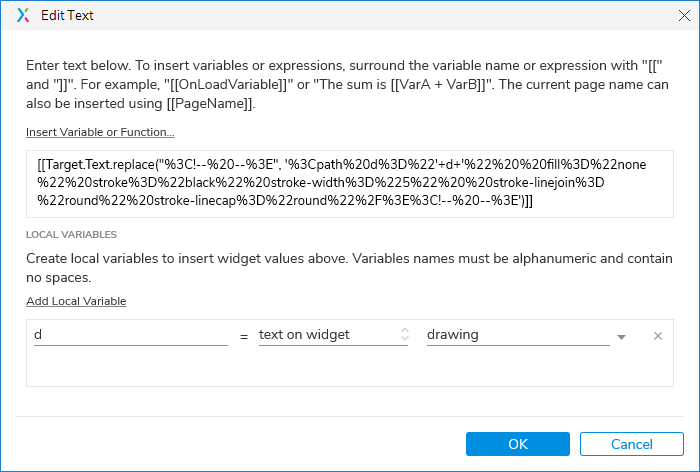
On Drag End: [Set Text] content to:
Interactions for the reset button:
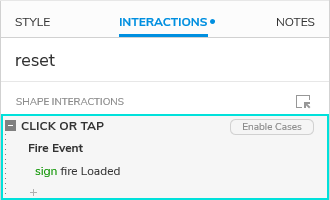
With this, a handwritten signature pad is complete.
Expansion:
Congratulations! You have entered Axure’s “New Era of Drawing,” a new chapter for creators. From this moment, logic and aesthetics are defined by you, and limitless possibilities await your creative expression.
Not only is it a stage for original artwork, but also a creative factory of limitless possibilities! This feature can be flexibly extended to various practical scenarios, such as:
- Drawing Board: Freely sketch creative ideas and effortlessly express design concepts.
https://usrsky.axshare.com/#id=7kgfjw&g=1 - Assignment Grading: Provide feedback directly on prototypes for more intuitive communication and efficient revisions.
- Document Annotation: Highlight key points as if marking on paper, making documentation more engaging.
- Map Marking: Quickly label routes and areas, making user path planning clear and straightforward.
- …and many more possibilities waiting to be explored!
Whether it’s process visualization, UI sketching, or interactive demonstrations, manual drawing can become your powerful assistant. Unleash your creativity and give it a try—unexpected drawing experiences await your exploration!
Download:
Signature@Axure.in.rp (56.3 KB)