You know how you can set a dynamic panel to act as a state machine, where depending on the state, different interactions fire, or buttons show/hide, etc?
I always thought that forced me to ensure that i had to manually set the initial state because the Set Panel State action won’t fire on load. Any interactions set to happen when Panel State = The First State don’t trigger.
This can sometimes make creating generic components difficult, makes the Axure file hard to understand, and leads to adding extra interactions.
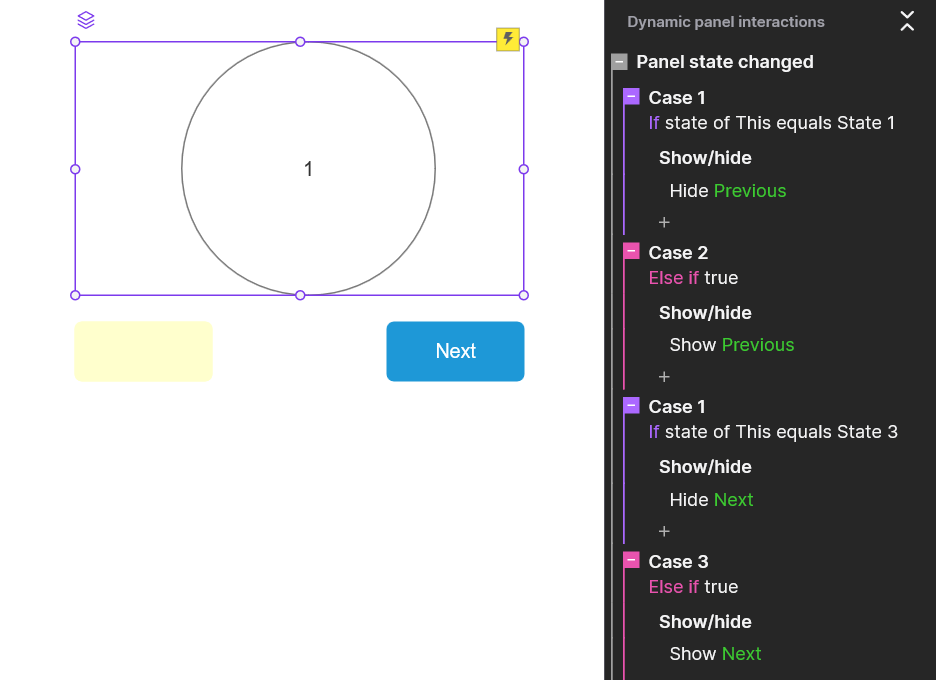
Say we have a carousel control with the pagination buttons outside of the panel. We set Previous to hidden on first, Next to hidden on last, and then interactions to undo it when we leave the state.
an alternate where we check to make sure it’s neither first nor last.
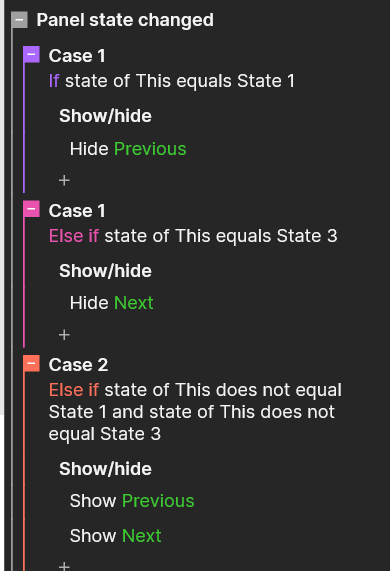
Either way feels clunky to me, I’d rather just define what exactly is true about each state than have these extra else interactions that can start to confuse when you get a lot of things going on.
I figured out a way to accomplish that by adding an On Load interaction to the panel that just triggers Panel State Changed, which then forces Axure to look at the Panel States and trigger whatever the first State’s actions are.
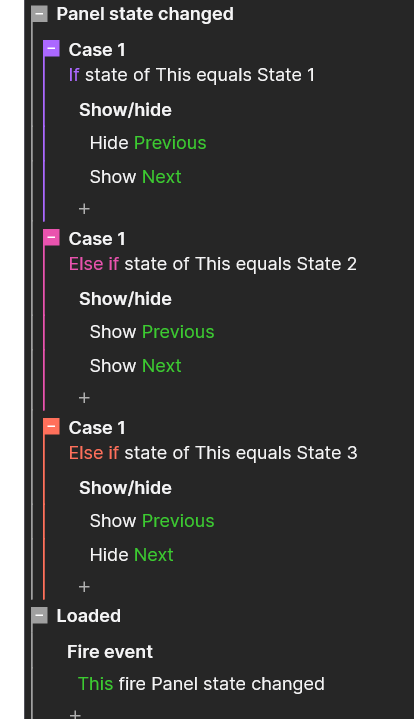
No “extra” else statements, just the specific things that need to happen at each state. Also, previous doesn’t have to be hidden - making the Axure file itself a bit easier to reason about.
My example is a simple carousel just to demonstrate but I just built a multi-step wizardy thing that had next and previous buttons but next turned to submit on the last step and there were other buttons that had to show/hide because they we’re only applicable to certain steps. Things got very confusing and complicated with the other way. But with this new way, i just have to say what is true about each state.
State 1 - Show: Next; Hide: Previous and Submit, any step-specific elements
State 2…n-1 - Show: Next, Previous, any step-specific elements; Hide: Submit
State n - Show: Previous, Submit; Hide: Next, any step-specific elements
I have a live demo available and a file to see what i did.
Live Demo |
trigger fire set panel state.rp (80.3 KB)